
3D Printing
OpenSCAD Libraries and Change Management in the Jupyter Kernel
Im my last Blog I was using some functionality from https://dkprojects.net/openscad-threads/ in order to define a nut and a bolt. I was finding this library with the help of Google. Like with any software language, it does not make sense if you try to re-invent the wheel (though some key stakeholders of the project actually think that everybody should write their’s own library). In any case it is worth to check out if some components Read more
3D Printing
The Cheapest Camera for Octoprint
I bought myself a cheap Ender3 3D Printer. As my first project I decided to connect it to Octoprint. Because I did not want to use any of my Raspberry PIs and I had a spare old FitPC2 Linux machine, I thought it was time to reactivate it for a new purspose. I am using this solution successfully for quite some time now, so I wanted to take it to the next level by adding Read more
3D Printed Planes
OpenSCAD for Jupyter has been released
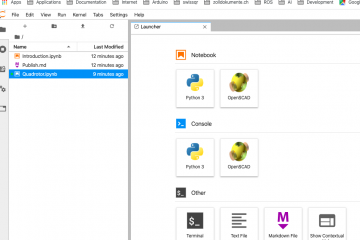
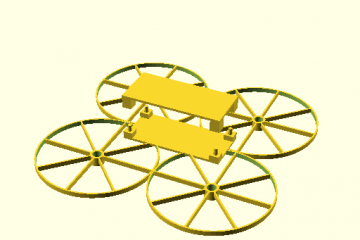
The OpenSCAD kernel V1.0.13 for Jupyter is available on PyPi and ready to be used. As a poof of concept and to test the functionality I was using my Quadrotor Design:
3D Printing
Syntax Hightlighting for OpenSCAD in Jupyterlab
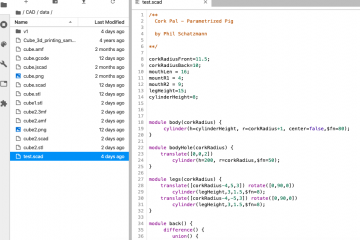
Out of the box Jupyterlab is providing a rich set of supported languages for Syntax Highlighting. Unfortunately OpenSCAD is not one of them. So I tried to research this topic: Internally Jupyterlab is using the CodeMirror editor and Codemirror allows to extend the syntax highlighting by defining custom modes. The easiest way is to use a Simple Mode. Jupyterlab as well supports the functionality of Extensions. So the challenge is to provide a Jupyterlab Extension Read more
3D Printing
OpenSCAD in Jupyterlab with Docker
Update: I needed to switch from Alpine to Ubuntu to make this work reliably. The latest release is also automatically adding the necessary xvfb command at the startup of the kernel. The image can be found on Dockerhub

3D Printing
An OpenSCAD Kernel for Jupyter
I was missing a Jupyter Kernel for OpenSCAD. There are already different existing projects that try to bring the OpenSCAD functionality to Jupyter: ViewSCAD is providing a Python API over OpenSCAD SCAD4 is providing an API for JVM based Languages But you can’t use the OpenSCAD language itself in the Jupyter cells. So I decided to take up the challenge and spend a couple of days on this topic. The initial idea was to use Read more
3D Printing
Displaying 3D STL Files in Jupyterlab
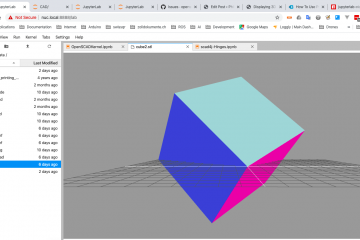
The STL (Standard Triangle Language) is the industry standard file type for 3D Printing. Jupyter and it’s successor Jupyterlab offer quite a big range of built in renderers that allow you to display different file formats. Unfortunately this is not true for 3D file formats. To close this gap, I decided to implement a simple Mime Renderer for Jupyterlab using the powerfull functionality of Three.js. Though other file formats might work as well, I was setting the focus on STL Read more
3D Printed Planes
Scad4J – A Parameterized 3D Quadrotor
I was struggling quite a bit to integrate the parameters into the Scad4J API. Here is an example which demonstrates how we can use the Scad4J library to build a simple RC quad.