If you look for speech recognition examples for microcontrollers, you almost always end up with wake word detection or keyword spotting: the micro_speech example of
- TensorFlow Lite Micro, which recognizes “yes” and “no”;
- Espressif’s ESP-SR with WakeNet for the wake word and MultiNet for a list of commands;
- keyword spotting models trained with Edge Impulse; or
- Picovoice’s Porcupine and Rhino.
They work well for what they do, but they all classify a small, fixed set of words or phrases that is decided before the model is built. None of them turns arbitrary speech into text.
After TinyTTS taught my microcontrollers to speak, the obvious next question was: can they also listen – really listen? Not “detect a wake word” or “recognize ten fixed commands”, but turn free speech into text, with a vocabulary of tens of thousands of words, completely offline, with hand-written C++ and without TensorFlow Lite or any other inference runtime.
TinySTT is the answer I came up with. It is a proof of concept, and this post describes what works, what does not (yet), and what I learned on the way.
The idea: split the problem in two
Speech recognition on a big machine is usually one large neural network that goes straight from audio to text. That does not fit into a microcontroller. So TinySTT splits the problem into two independent stages:
- Speech → Phonemes: log-mel features (computed with the FFT of arduino-audio-tools),
then a small streaming acoustic model – a convolution and two GRU layers with 0.9 M parameters – that outputs phoneme probabilities every 30 ms. - Phonemes → Text: a beam search that only follows phoneme sequences that form words of a pronunciation dictionary, scored by a language model or by a command grammar such as
turn (on | off) the (light | fan).
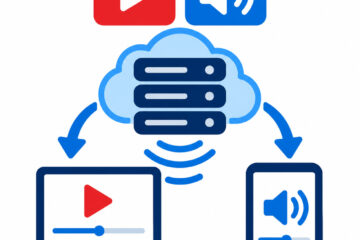
The two stages only exchange small phoneme frames (16 bytes) through a lock-free single-producer/single-consumer queue. This has a nice side effect: they can run in one loop, on the two cores of an ESP32, or on two different devices connected by a serial line, UDP or ESP-NOW. The bandwidth between them is tiny: near-certain silence is merged into run-length messages, which cuts the traffic by a factor of 5–10.
In a sketch, TinySTT is just another audio-tools AudioOutput: you copy the microphone data into it with a StreamCopy, and it prints each recognized utterance as a line to Serial.
Making it fast enough
The first version was plain float C++ – and on an ESP32-S3 it needed 4.7 times longer than real time for the acoustic model alone. These were the steps that brought it below real time:
| Step (ESP32-S3) | Real-time factor |
|---|---|
| float32 weights in flash | 4.73 |
| int8 weights | 2.64 |
| + int8 activations and SIMD dot products | 1.26 |
| + weights copied to PSRAM | 0.65 |
| + the most used matrix in internal RAM | 0.55 |
| + 4 frames computed per pass (batching) | 0.35 |
The surprise was that the S3 is memory bound, not compute bound. Once
SIMD is used, an int8 matrix-vector product takes 7.3 ms with the weights in
flash, 3.3 ms in PSRAM and 0.31 ms in internal RAM. Where the weights live
and how often they are read mattered more than the arithmetic. Batching four
output frames reads the large matrices once instead of four times, at the
cost of 90 ms latency.
Each platform got its own int8 dot product: Espressif’s esp-nn assembler on
the ESP32-S3, my own PIE SIMD kernel on the ESP32-P4 (0.26 ms instead of
2.5 ms for a 768×256 matrix), the Cortex-M33 DSP instructions on the RP2350
and NEON on the Raspberry Pi. All of them are bit-identical to the plain C++
reference, which the tests check.
The result for speech → phonemes, on one core:
| Device | Real-time factor |
|---|---|
| ESP32-S3 (240 MHz) | 0.43 |
| ESP32-P4 (400 MHz) | 0.16 |
| RP2350 (150 MHz, with PSRAM) | 0.92 |
| Raspberry Pi 4 | 0.016 |
The decoder needs only a few percent on top. Even the RP2350 keeps up with
real time, although only just, and only with careful memory placement.
Training the acoustic model
The acoustic model is trained with PyTorch on LibriSpeech, using a free Kaggle GPU. The first model used 100 hours of audio and gave a word error rate (WER) of 36 % on LibriSpeech test-clean. Three changes brought it down to 26 %:
- A wider beam in the decoder (36 % → 33 %): cheap, because the decoder is only a small part of the computation.
- More and better training data (→ 30 %): 460 instead of 100 hours, and pronunciations from the LibriSpeech lexicon: only 7 % of the utterances are now skipped because a word is missing from the dictionary, instead of 38 %.
- A larger vocabulary and language model (→ 26 %): 50,000 words and a bigram from the 800-million-word LibriSpeech text corpus. This model is9.5 MB, which an ESP32-S3 or ESP32-P4 handles easily.
I also tried rescoring the best hypotheses with a trigram from an SD card – it improved the result by only 0.8 points, so I dropped the idea.
Training on Kaggle was its own adventure: runs that sat in the queue for hours, a run that showed no log at all, and a first epoch on 460 hours that took 2¼ hours. In the end the training script checks its time budget during each epoch, so a run always finishes with an exported model before Kaggle’s 12-hour limit.
The bugs that real hardware finds
Most of the code was developed and tested on the desktop, with the Arduino-Emulator. That
works remarkably well – but some bugs only show up on real hardware, and they were the most instructive part of the project:
- The Hann window in audio-tools used 0.54 instead of 0.5. Harmless for most uses, but the trained model depends on the exact features, so I fixed it upstream and retrained.
- A decoder history that grew with every word used 100 KB of RAM for a 10-second utterance. Fine on a desktop, a crash on an RP2350. It now only keeps what the beam still needs: about 30 KB.
- A race between the two cores: suspending a FreeRTOS task on the other core can return before that core has actually stopped it. The ESP32-P4 crashed on every boot – but only with a 10 MB program, because the larger image changed the timing.
- The task watchdog: a decoder that falls behind never yields and starves the idle task. Easy to fix, once you know.
- A WAV decoder that dropped the audio arriving in the same write as the header, and a channel converter that silently wrote nothing when used as an output – both fixed in audio-tools.
Shipping the model inside the program
A model is a 3 to 10 MB file. TinySTT can load it from a file system, map it from a flash partition, download it over Wi-Fi to an SD card – or compile it directly into the program. For the last option I first generated C arrays, which produced 29 MB of source code and very slow builds. The assembler directive .incbin does the same in seconds: it copies the file into the read-only data section at compile time.
The tricky part was making it portable. The ESP32-S3 assembler ignores the include paths, so a relative path does not work. The trick that works with every toolchain I tried: the preprocessor replaces __FILE__ with the absolute path of the assembler file, and a small assembler macro appends.bin – so the model file sits right next to it, wherever the library is installed. Sketches that do not use a model do not grow, because the linker drops sections that nobody references.
Where it stands
TinySTT shows that speech-to-text is possible on a microcontroller, with hand-written C++, faster than real time:
- The split works. One loop, two cores or two devices give exactly the same text, and every platform produces the same transcripts.
- Microcontrollers are fast enough – with int8 everywhere and with attention to where the weights are stored.
- Accuracy is the limit. A word error rate of 26 % on read English speech is usable for voice commands, especially with a grammar, but not for reliable dictation. The training was stopped by the time budget while the error rate was still falling, so more training is the obvious next step, followed by a larger acoustic model on the faster chips.
It is a proof of concept, not a product – but a proof that the concept works. The code, the trained models, the Kaggle notebook and all measurements are on GitHub.
0 Comments